Docusaurus で OGP 画像を設定する

こちらは長野高専 Advent Calendar 2025 1日目の記事です。
Docusaurus で Blog を書くのは最高です 😁 (そうなの?という方は -> ブログをソース管理しよう!【Docusaurus 編】)。 ただ、標準では OGP 画像を生成する方法がありません1。 本記事では、タイトルや内容に合わせて OGP 画像を生成し設定する方法を記載します。
ちなみに、この記事はこんな感じに設定されています。
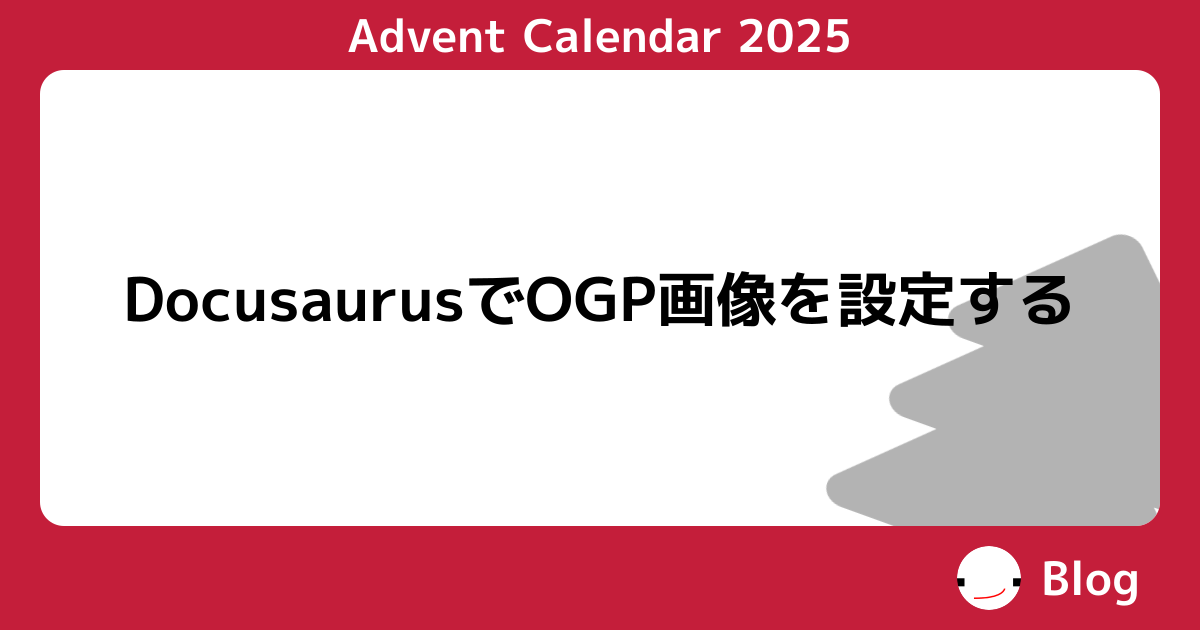
導入2
基本的には Docusaurus OG のREADME.mdに書いてあることをすれば良さそうです。
プラグインの導入
-
プラグインのインストール
npm install @acid-info/docusaurus-og -
docusaurus.config.jsの設定docusaurus.config.js// ...
// pluginsに追加する
plugins: [
[
"@acid-info/docusaurus-og",
{
path: "./preview-images", // buildディレクトリ内でOGP画像を吐き出す先
imageRenderers: {}, // ここは後ほど
},
],
]; -
satori,sharpのバージョンをあげておく@acid-info/docusaurus-ogで使用されているsatori,sharpが古かったため、package-lock.jsonをいじって無理やりあげておきます。もっと良い方法があるかも。備考これをしないと Font Awesome のアイコンをうまく出せませんでした
package-lock.json"node_modules/@acid-info/docusaurus-og": {
"version": "1.0.3-beta.2",
// ...
"dependencies": {
// ...
"satori": "^0.18.1",
"sharp": "^0.34.1"
},
// ...
},
Image Renderer を作る
画像の生成をするコンポーネントを作ります。
ここでは blog の前提で作っているので、docs 向けの設定が知りたい場合は公式ドキュメントを参考にするか、DocsPageData の型定義を参照してください。
TS と jsx を使っている前提の説明になっています。それ以外の設定は公式ドキュメントを参考にしてください。
-
Image Renderer コンポーネントの作成
src/components/ImageRenderer/index.tsximport { readFileSync } from "node:fs";
import { join } from "node:path";
import type {
BlogPageData,
ImageRenderer,
PageData,
} from "@acid-info/docusaurus-og";
import React from "react";
export const blog: ImageRenderer<BlogPageData> = (data) => {
if (data.pageType !== "post") {
// 記事一覧画面など
return [
<div style={{ display: "flex", background: "black", color: "white" }}>
{data.plugin.blogTitle}
</div>,
{
width: 1200,
height: 630,
fonts: [
{
name: "Noto Sans JP",
data: readFileSync(
join(__dirname, "../../../static/fonts/MPLUS1p-Bold.ttf")
),
weight: 400,
style: "normal",
},
],
},
];
}
// 記事のページ
return [
<div style={{ display: "flex", background: "black", color: "white" }}>
{data.data.metadata.title}
</div>,
{
width: 1200,
height: 630,
fonts: [
{
name: "Noto Sans JP",
data: readFileSync(
join(__dirname, "../../../static/fonts/MPLUS1p-Bold.ttf")
),
weight: 400,
style: "normal",
},
],
},
];
}; -
トランスコンパイルの設定
tsconfig.client.json{
"compilerOptions": {
"noEmit": false,
"composite": true,
"incremental": true,
"esModuleInterop": true,
"tsBuildInfoFile": "./lib/.tsbuildinfo-client",
"rootDir": "src",
"outDir": "lib",
"module": "CommonJS",
"target": "esnext",
"jsx": "react",
"types": ["node"],
"baseUrl": "./",
"lib": ["DOM"]
},
"include": ["src"]
} -
prestart,prebuildの追加package.json{
"scripts": {
// ...
"prestart": "tsc --project tsconfig.client.json",
"prebuild": "tsc --project tsconfig.client.json"
}
} -
.gitignoreにlibを足す.gitignore# ...
lib -
imageRenderers設定docusaurus.config.jsplugins: [
[
"@acid-info/docusaurus-og",
{
path: "./preview-images", // relative to the build directory
imageRenderers: {
// src/components/ImageRenderer/index.tsx の blogコンポーネントの場合の例
"docusaurus-plugin-content-blog":
require("./lib/components/ImageRenderer").blog,
// ブログ以外はdocusaurus-plugin-content-docs, -pages で各自設定できる
},
},
],
]; -
フォントの導入
ビルドに使用するフォントは Image Rendererに設定したパスに配置してください(ここでは
static/fonts/MPLUS1p-Bold.ttf)。警告フォントのライセンスには気をつけてください。必要出れば、prestart, prebuildで実行されるフォントダウンロードスクリプト等を設定してリポジトリに同封されないようにする工夫が必要かもしれません。
自分は使用フォントのライセンスをそのまま
licenses/OFL.txtに配置しました。 -
完成

ページごとにデザインを変えたい
自分はアドベントカレンダー文化が好きなので、アドベントカレンダー記事にだけ特別なデザインを施したいです。そういう場合は frontMatter で独自のパラメータを使った条件分岐をさせます。
export const blog: ImageRenderer<BlogPageData> = (data) => {
  if (data.pageType !== "post") {
    return [
      /* */
    ];
  }

  const { title, frontMatter } = data.data.metadata;
  const { advent: _advent } = frontMatter;

  const advent =
    typeof _advent === "string"
      ? _advent
      : typeof _advent === "number"
      ? _advent.toString()
      : undefined;

  if (advent) {
    return <Advent />;
  } else {
    return <Default />;
  }
};
---
title: DocusaurusでOGP画像を設定する
authors: [bonychops]
tags: ["アドベントカレンダー", "Advent Calendar 2025", "Docusaurus", "OGP"]
advent: 2025 # この指定の有無でデザインが切り替わる
---

...
終わりに
こんな感じになりました。具体的な実装はソースを見てください。
- 通常
- アドベントカレンダー

なかなかいい感じ。